Your privacy: what your family sees
You’re in charge of what you share.
What your family sees
What you do in Corasom, in plain words: when you check in, what you tick off, the puzzles you finish, and your journal.
What they never see
Where you are. Corasom has no maps and no location tracking.
Taking a break
You can pause sharing whenever you like. Your family is told sharing is paused, so they don’t worry. Only you can switch it back on.
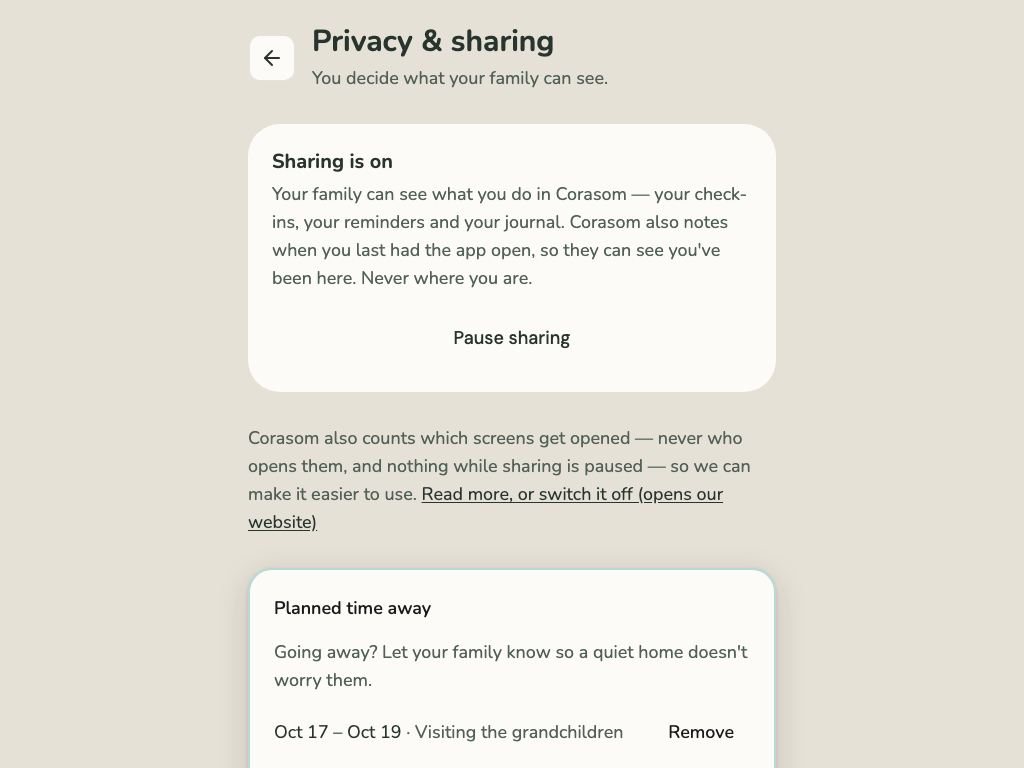
Your privacy screen
Your Privacy & sharing screen shows what your family can see. To pause, tap Pause sharing. To start again, tap Turn sharing back on. You can also ask us for a copy of everything we hold about you.
Leaving
You agreed to connect, and you can pause sharing whenever you like. To leave Corasom altogether, open Account & Settings and choose Delete account. Everything is erased.
Corasom is not an emergency service. In an emergency, ring 999.