When they press Need Help
By the end
You know what you’ll see, what to do, and what Corasom won’t do.
Their screen has a red Need Help button for when they want their family urgently. Here’s what happens when they press it, and what Corasom doesn’t do.
Corasom is not an emergency service. It never calls anyone and can’t send help. In an emergency, ring the emergency services first.
On their side
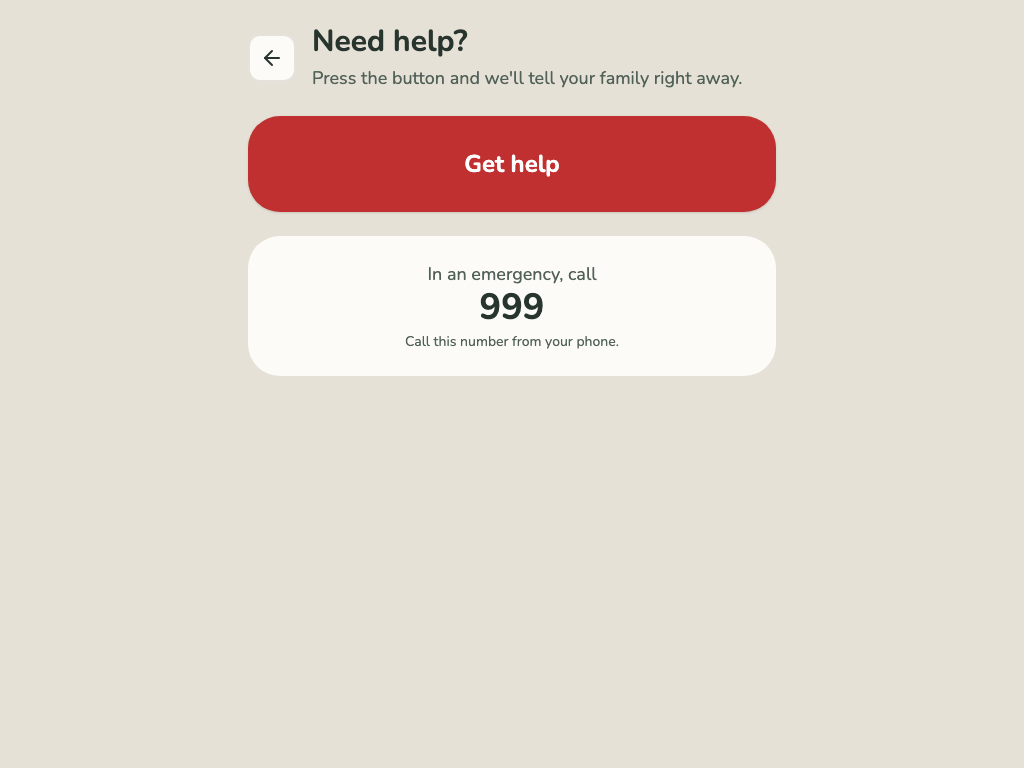
- They tap the red Need Help button. It opens a help screen first, so a stray tap sends nothing.
- They tap Get help. Everyone in their circle is told.
- Their screen says when the family has been told, and shows the number to ring.
On your side
A banner appears at the top of Corasom, saying they asked for help, with an I’m on my way button.
For now, this doesn’t ring or buzz your phone. You’ll see the banner the next time you open Corasom. That’s why Corasom works alongside phone calls and fall detectors, not instead of them.
What to do
- Get in touch. Ring them, or someone who’s nearby.
- Tap I’m on my way on the banner. It clears the banner, and the family’s timeline shows “Help is on the way”. Anyone in the circle can do this. Their screen doesn’t show it, so tell them yourself when you ring.
- If it’s an emergency, ring the emergency services. Corasom can’t do that for you, or for them.
If no one is connected
If they press Need Help and no one in their circle can be reached, their screen tells them so, and shows them the number to ring themselves.
Click through it
Need Help, on their screen
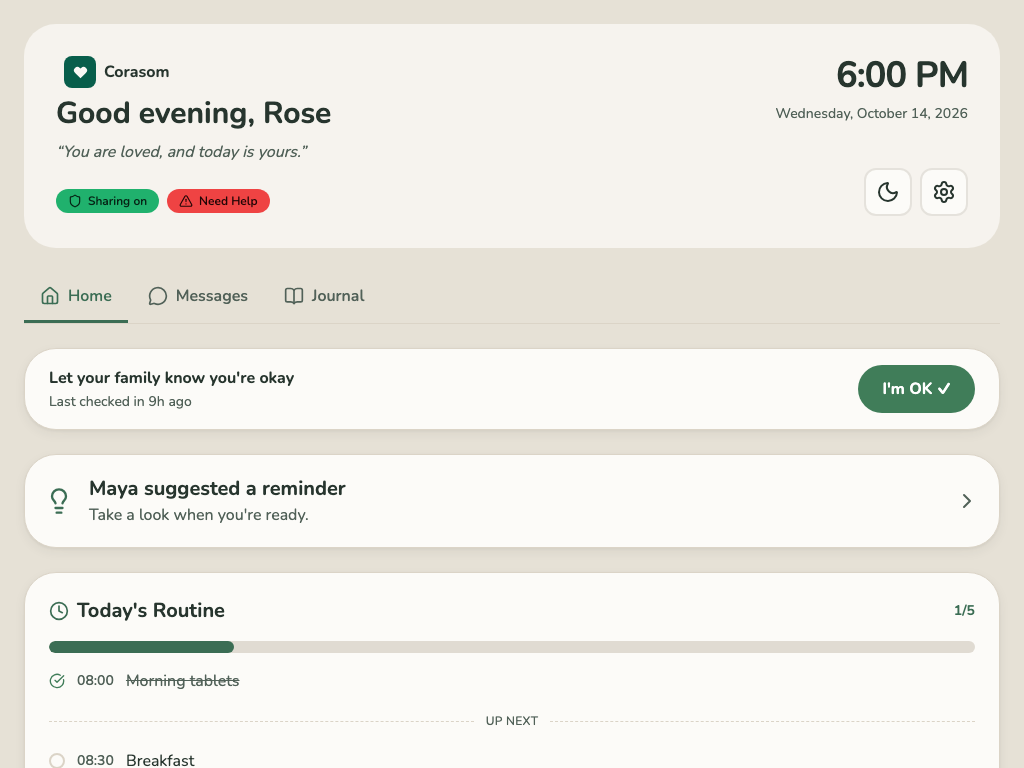
The red Need Help button on their screen.
-
1. The red Need Help button on their screen. -
2. Need Help opens this screen. Nothing is sent until they tap Get help. -
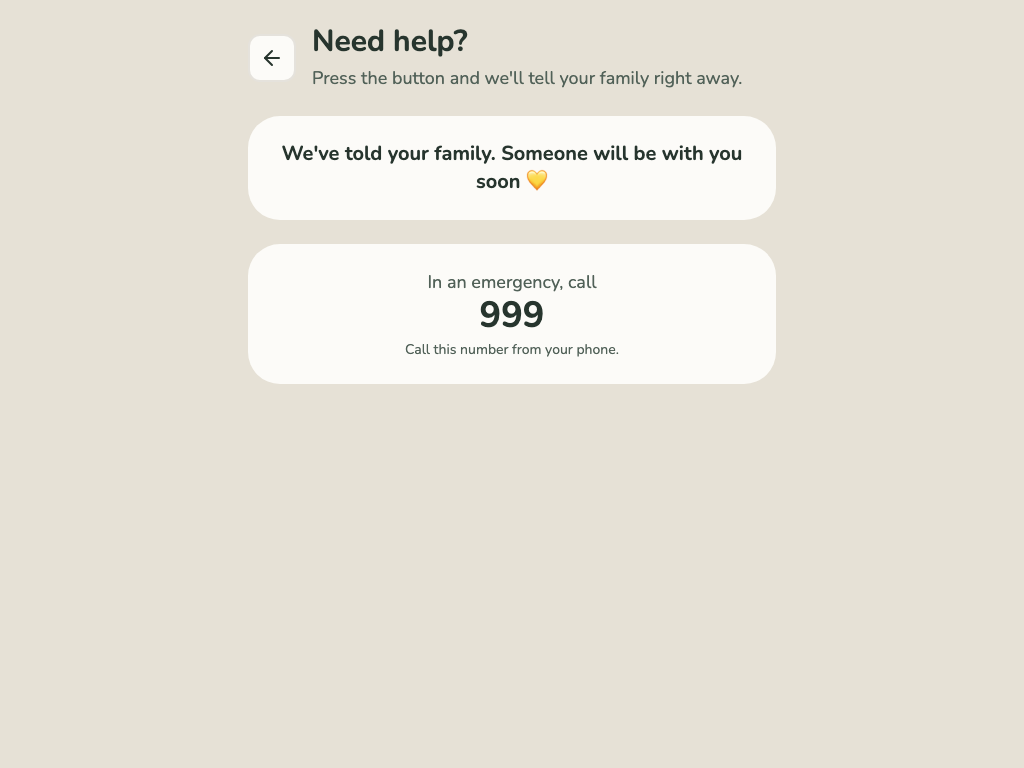
3. Their screen shows the number to ring.
Try it in the demo (opens in a new tab)
Last checked 14 October 2026 · Still stuck? Email [email protected] and a person will answer.